
Troubleshooting
The handful of things that actually go wrong, and what fixes them.
Start here
This chapter is a router. Find your symptom, get the fix if it's short, or get sent to the chapter that covers it properly – every chapter in this guide ends with its own "when it goes wrong" section, and those go deeper than a list could.
Two questions solve a surprising share of problems before you read any further. Is this device online? Cash keeps ringing offline; cards, gift and split don't. And who is signed in? A lot of "it won't let me" is a permission, not a fault.
Nothing is on the register screen
Almost always one of three things, in this order:
- 1You're still on the PIN lock screen and never reached the grid. A signed-in owner or manager can open without a PIN from there.
- 2You're in table service, where the register opens on the floor by design. Items appear once you open a table.
- 3The items themselves are hidden, variable-price, 86'd, or outside their daypart. Check the item in the menu builder.
There is no plan gate on products – free Lite shows the same menu as any paid plan. If items are missing it's one of the three above.
The register won't let me do something
It won't close. A card sale is still waiting on a tip. Enter every outstanding tip – $0 counts – from All orders. See Payments, tips & pricing.
It won't check out. A Table Time timer is still running *or paused* on that ticket. Stop it from the top of the ticket. See Table Time.
It's asking for a manager PIN. Discounts and tax-exempt are gated. Either get a manager, or change the permission. See Staff, PINs & payroll.
A PIN won't unlock this tablet. The enrolled-device rule is on and this device isn't enrolled. See Devices & screens.
A cashier can't open the drawer or refund. Those are per-person permissions on their cashier row. See Staff, PINs & payroll.
Nothing is reaching the kitchen
Work in this order – it splits the problem fastest.
Check Recent print jobs on the Printers page. PENDING means we queued it and the printer never collected it – it's off, off-network, or not polling. CLAIMED means it left us, so the problem is at the device.
Nothing queued at all? The category isn't routed to any printer, and items with no routing print nowhere.
Plain text, no cut, no logo? Switch that printer's language to ESC/POS.
KDS empty? Either register tickets aren't being sent to it, or the screen is on a station that doesn't cover those items.
Online orders missing? Auto-send is off, so they're waiting in the queue for someone to send them.
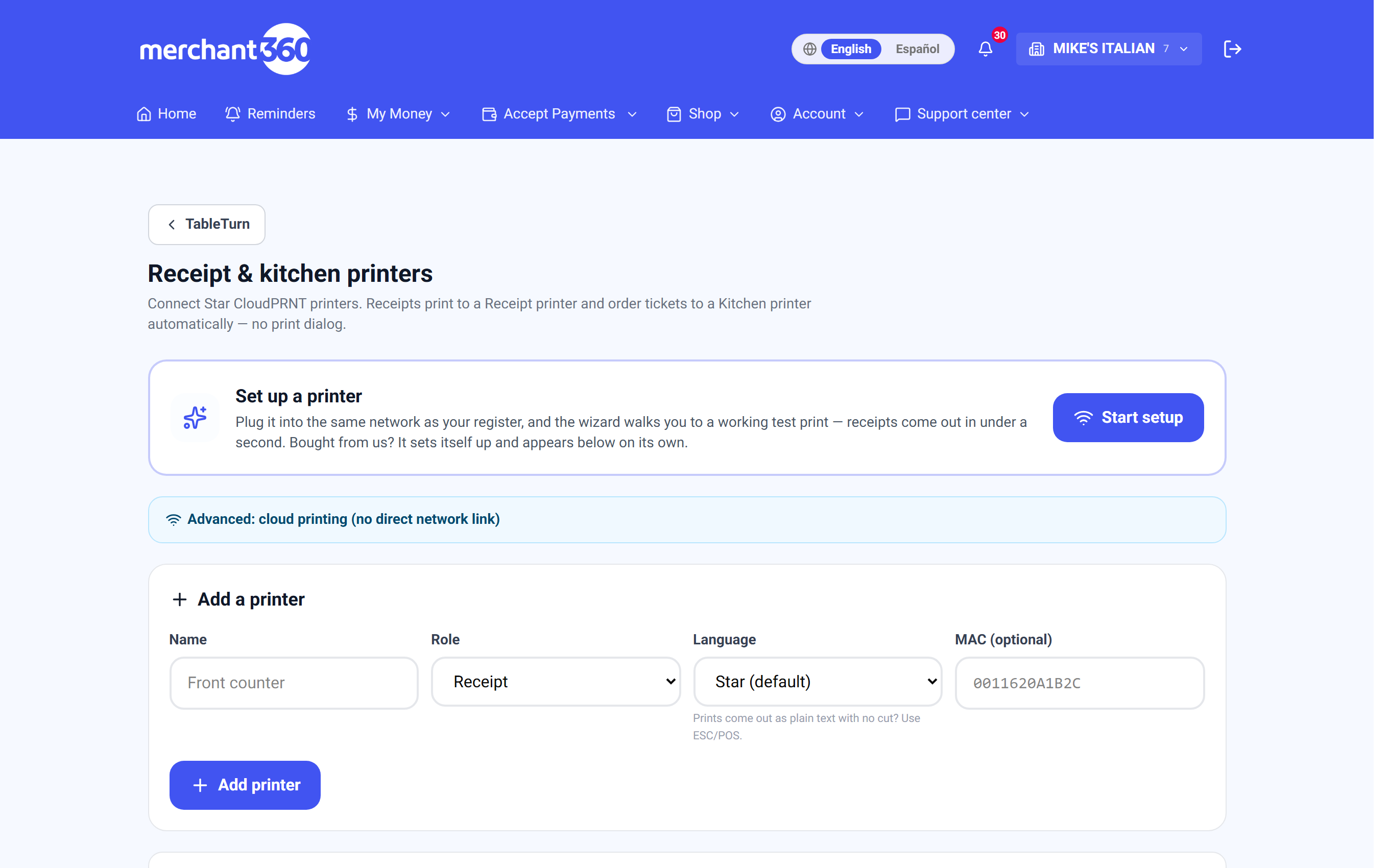
The **Kitchen: KDS & printers** chapter covers all of this in full, including Wi-Fi direct printing and station routing.
A payment went wrong
The card declined. The ticket is untouched – try another tender without re-ringing.
I cancelled but it charged. You'll get an explicit *cancel was too late* notice naming the amount. The sale is real; refund it properly rather than assuming the cancel worked.
No terminals connected. Shown deliberately rather than hidden. Check the reader's power and network, then hit refresh beside the dropdown.
A tip was entered wrong. Adjust it again from All orders before you close out. After the batch settles it becomes a refund-and-rerun.
The split is stuck. Once any check is paid the split mode locks so the table can't be reshuffled underneath money that already ran.
Refunds aren't done at the register. A closed sale is reversed through your back office so the money movement is recorded rather than quietly erased.
Something looks wrong on the floor
A table is missing. It's probably unassigned to an area, or disabled on the QR tab. See Floor plan & tables.
A table is stuck purple. Purple is *check dropped* – someone opened Pay and backed out. Paying or voiding clears it.
Tables show huge dine timers. Those are tickets that were never paid or voided. A table's ticket only clears those two ways.
The floor says I need to upgrade. The floor is a Lite+ feature. The full register, menu, kitchen display and reporting are all still there on Lite.
The guest-facing side isn't right
Guests say the online menu is empty. Items are outside their daypart – the online menu hides off-schedule items rather than dimming them, which is the opposite of the register.
No orders arriving. Check ordering isn't paused, and that the link you shared is the current one.
No confirmation email. Check the notification toggles, and that the guest entered an address. Texts only go to guests who opted in.
The customer display is stuck on the welcome screen. With no live cart there's nothing to mirror. Ring an item and watch it follow.
The wrong logo is showing. TableTurn keeps its own logo, uploaded in the receipt designer, and it wins over your Merchant360 branding. Replace it there.
A sent item was wrong
Removing an item that already went to the kitchen warns you rather than silently pulling it back, because the kitchen is already cooking it and the register can't reach in and stop them. Tell them directly.
Clear unsent items removes only what hasn't gone yet. Void order kills the whole ticket and can sit behind a manager PIN. Automatic kitchen void tickets are a Pro feature.
Numbers don't add up
The drawer is short. Start with the cash drawer card on the Z-report, then voids & discounts by cashier. Requiring a drawer count before clock-out turns "short sometime this week" into "short on Tuesday, on this shift".
Sales are attributed to the wrong person. Someone stayed signed in. Lock the register between users.
Server banking shows unassigned sales. Those were rung with no cashier PIN and can't be banked to anyone.
Tips look wrong in payroll. The pool is card tips plus auto-gratuity. Cash tips only count if they were declared at server checkout.
Margin looks off. Revenue from uncosted items is excluded and reported separately – that figure is your to-do list.
The device itself
Offline. An amber banner appears; cash keeps ringing and uploads when you're back. Card, gift and split need a connection.
It keeps asking me to log in. Enrol the device under Devices so it stays signed in across a shift.
The session expired. Open tables and unpaid checks live on the server, not the tablet. Sign back in and they're all there.
Refreshing lost my cart. The in-progress cart is in the device's memory, which is why the register asks first. Saved tabs and open tables are never at risk.
Buttons are the wrong size. That's Button size in the register Menu, stored per device.
Still stuck
Every chapter here ends with its own troubleshooting section, and they're more specific than this page: The register, Menu builder, Kitchen, Devices, Online ordering, Staff, Payments, Receipts and Floor plan all have one.
The guide is searchable. Mid-shift, search the thing in front of you – "split", "86", "refund", "tip", "PIN" – rather than hunting for the right chapter.